

AI Agent Component Spec
AI Agent Component Spec
| Field | Value |
|---|---|
| Package | @cometchat/chat-uikit-react |
| Framework | React.js |
| Components | CometChatConversations, CometChatCallLogs, CometChatUsers, CometChatGroups, CometChatMessageHeader, CometChatMessageList, CometChatMessageComposer |
| Layout | Tabbed sidebar (Chats, Calls, Users, Groups) + message view |
| Prerequisite | Complete React.js Integration Steps 1–5 first |
| Pattern | Full-featured messaging app with multiple sections |
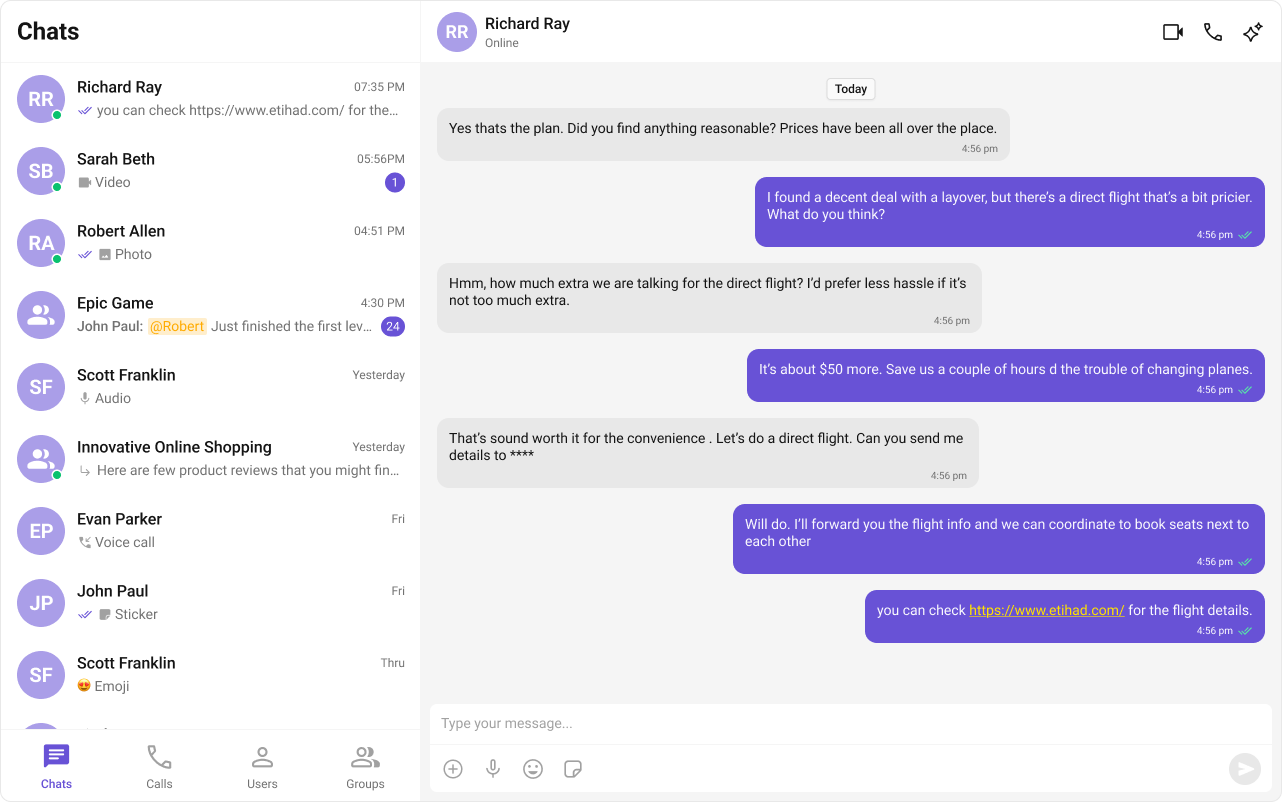

Fork the sandbox, insert your CometChat credentials (App ID, Region, Auth Key), and preview the UI in real time.
What You’re Building
Three sections working together:- Tab bar — switches between Chats, Calls, Users, and Groups
- Sidebar — renders the list for the active tab (conversations, call logs, users, or groups)
- Message view — header + messages + composer for the selected item
Step 1 — Create the Tab Component
Create aCometChatTabs folder inside src/:
src
CometChatTabs
assets
chats.svg
calls.svg
users.svg
groups.svg
CometChatTabs.tsx
CometChatTabs.css
- TypeScript
- CSS
CometChatTabs.tsx
Step 2 — Create the Sidebar Component
The sidebar renders the list for whichever tab is active, plus the tab bar at the bottom.src
CometChatSelector
CometChatSelector.tsx
CometChatSelector.css
- TypeScript
- CSS
CometChatSelector.tsx
- The
activeTabstate drives which list component renders —CometChatConversations,CometChatCallLogs,CometChatUsers, orCometChatGroups. - Each list component passes its selection back to the parent via
onSelectorItemClickedwith a type string so the parent knows what was selected. CometChatTabsrenders at the bottom of the sidebar.
Step 3 — Update App.tsx and App.css
Wire everything together. The app handles selections from any tab — conversations, users, groups, or calls.- TypeScript
- CSS
App.tsx
- Selections from any tab (Chats, Calls, Users, Groups) flow through the same
onSelectorItemClickedcallback. - Conversation items are unwrapped via
getConversationWith()to extract the underlyingUserorGroup. - Call selections are tracked separately in
selectedCall— add your own call details UI as needed. - Only one of
selectedUser/selectedGroup/selectedCallis set at a time — the others are cleared.
Step 4 — Run the Project
- Vite
- Create React App