FieldValue
PackageCustom class extending com.cometchat.chatuikit.shared.formatters.CometChatTextFormatter
Key classShortCutFormatter (extends CometChatTextFormatter)
Required setupCometChatUIKit.init() then CometChatUIKit.login("UID")
Track character! — triggers shortcut expansion in the message composer
Extensionmessage-shortcuts CometChat extension must be enabled
Sample appGitHub
RelatedMentions Formatter | All Guides
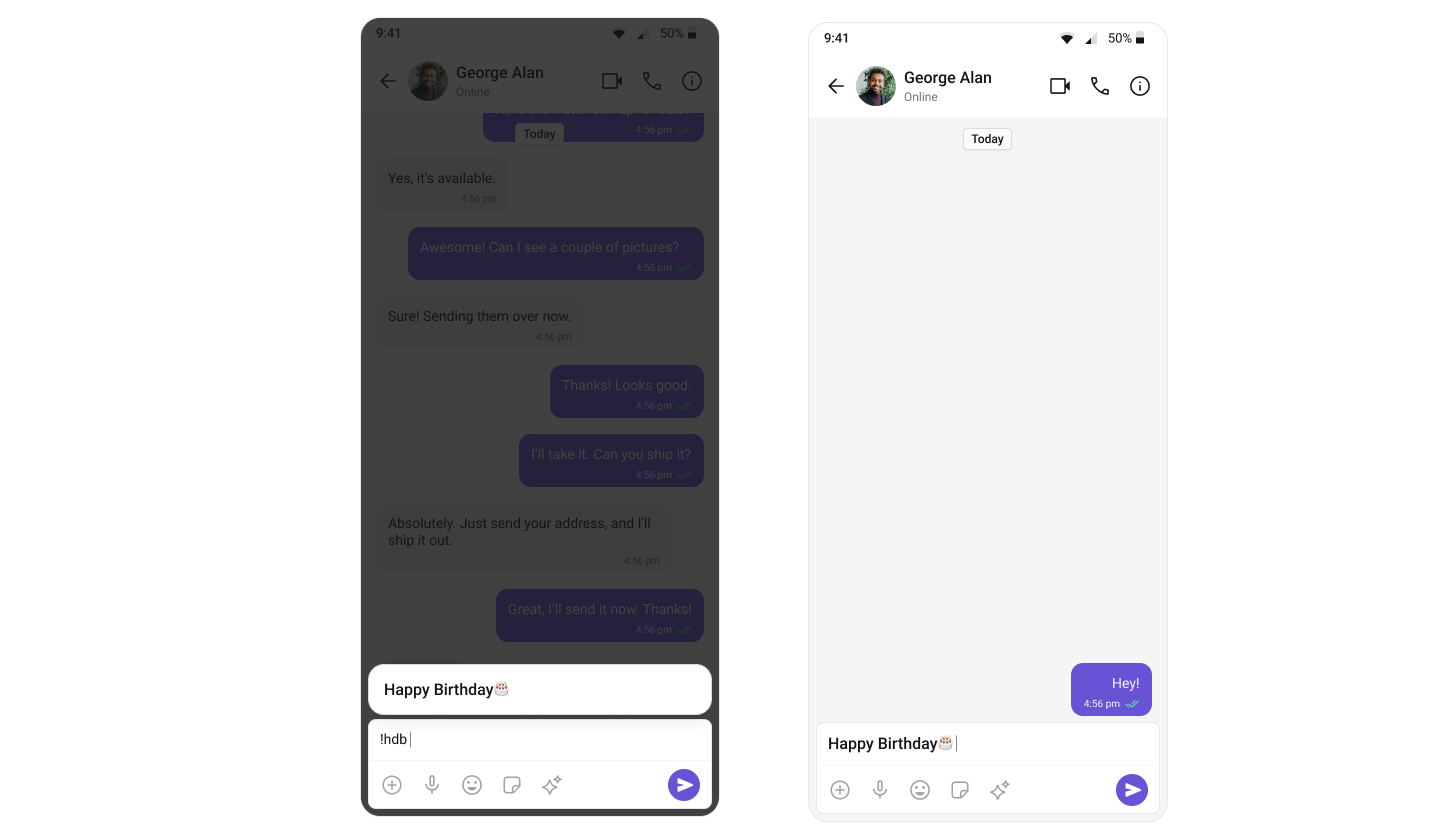
ShortCutFormatter extends CometChatTextFormatter to expand shortcodes (like !hi) into full text via the Message Shortcuts extension. When a user types a shortcut trigger in the composer, a suggestion appears with the expansion — selecting it inserts the text.
Steps

1. Create the ShortCutFormatter class

Extend CometChatTextFormatter with '!' as the tracking character:
class ShortCutFormatterKotlin : CometChatTextFormatter('!') {
    private val messageShortcuts: HashMap<String, String> = HashMap()
    private val shortcuts: MutableList<SuggestionItem> = ArrayList()

    init {
        prepareShortCuts()
    }
}

2. Fetch shortcuts from the extension

private fun prepareShortCuts() {
    CometChat.callExtension(
        "message-shortcuts", "GET", "/v1/fetch", null,
        object : CometChat.CallbackListener<JSONObject>() {
            override fun onSuccess(responseObject: JSONObject) {
                try {
                    val shortcutObject = responseObject
                        .getJSONObject("data").getJSONObject("shortcuts")
                    val keysItr = shortcutObject.keys()
                    while (keysItr.hasNext()) {
                        val key = keysItr.next()
                        messageShortcuts[key] = shortcutObject.getString(key)
                    }
                } catch (e: JSONException) { e.printStackTrace() }
            }
            override fun onError(e: CometChatException) {}
        })
}

3. Override the search method

Match user input against stored shortcuts and update the suggestion list:
override fun search(context: Context, queryString: String?) {
    val query = trackingCharacter.toString() + queryString
    shortcuts.clear()
    if (messageShortcuts.containsKey(query)) {
        val suggestionItem = SuggestionItem(
            "", "$query  =>  ${messageShortcuts[query]}",
            null, null, messageShortcuts[query], null, null
        )
        suggestionItem.isHideLeadingIcon = true
        shortcuts.add(suggestionItem)
    }
    setSuggestionItemList(shortcuts)
}

4. Override onScrollToBottom

override fun onScrollToBottom() {
    // No pagination needed for shortcuts
}

5. Integrate with MessageComposer

Add the XML element to your layout:
<com.cometchat.chatuikit.messagecomposer.CometChatMessageComposer
    android:id="@+id/composer"
    android:layout_width="match_parent"
    android:layout_height="match_parent" />
Then add the formatter to the composer:
val cometChatMessageComposer: CometChatMessageComposer = findViewById(R.id.composer)

val cometChatTextFormatters = CometChatUIKit.getDataSource().getTextFormatters(this, cometChatMessageComposer.additionParameter)
cometChatTextFormatters.add(ShortCutFormatterKotlin())
cometChatMessageComposer.setTextFormatters(cometChatTextFormatters)
Typing ! followed by a valid shortcut key (e.g., !hi) displays a suggestion with the expanded text. Selecting it inserts the expansion into the composer.

Next Steps