

AI Agent Component Spec
AI Agent Component Spec
| Field | Value |
|---|---|
| Package | com.cometchat.chatuikit.shared.formatters |
| Key class | CometChatMentionsFormatter (extends CometChatTextFormatter) |
| Required setup | CometChatUIKit.init() then CometChatUIKit.login("UID") |
| Purpose | Format @mentions with styled tokens, suggestion list, and click handling for users and group members |
| Sample app | GitHub |
| Related | ShortCut Formatter | All Guides |
CometChatMentionsFormatter extends CometChatTextFormatter to format @mentions in text messages. It styles mention tokens, generates suggestion lists as users type, and handles click events on rendered mentions across the message composer, message bubbles, and conversations list.
| Capability | Description |
|---|---|
| Mention formatting | Auto-formats mention placeholders into styled spans |
| Custom styles | Colors, fonts, and backgrounds per context (composer, bubbles, conversations) |
| User and group mentions | Works with both individual users and group members |
| Suggestion list | Generates mention candidates from user input |
| Click handling | Listener interface for tap on rendered mentions |
Usage
1. Create the formatter
- Kotlin
- Java
2. Add to a formatters list
- Kotlin
- Java
3. Pass to a component
UsesetTextFormatters() on CometChatMessageComposer, CometChatMessageList, or CometChatConversations.
- Kotlin
- Java
Styling Mentions
Mention Click Handling
Set a click listener for mentions in message bubbles: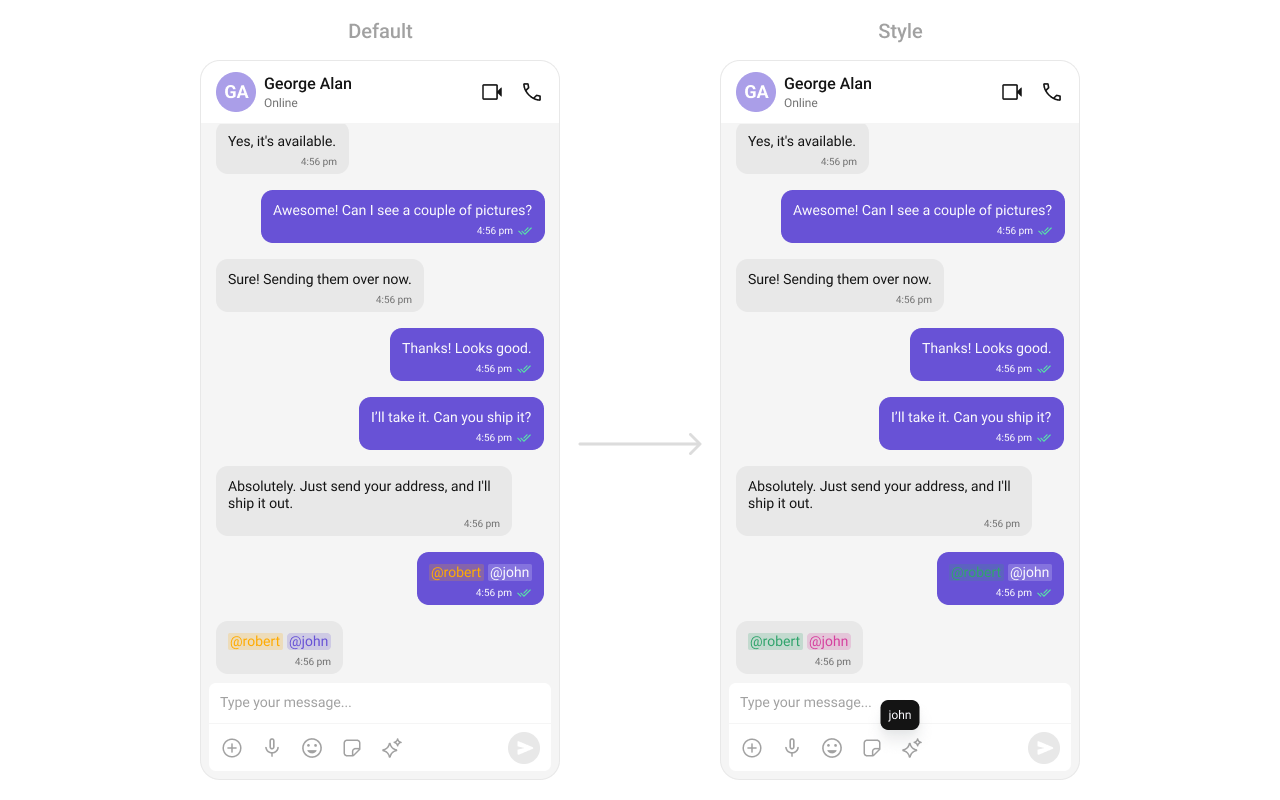
- Kotlin
- Java
Composer Mention Style
Customize how mentions appear in the message composer input field:
themes.xml
- Kotlin
- Java
Message Bubble Mention Style
Customize mentions in incoming and outgoing message bubbles: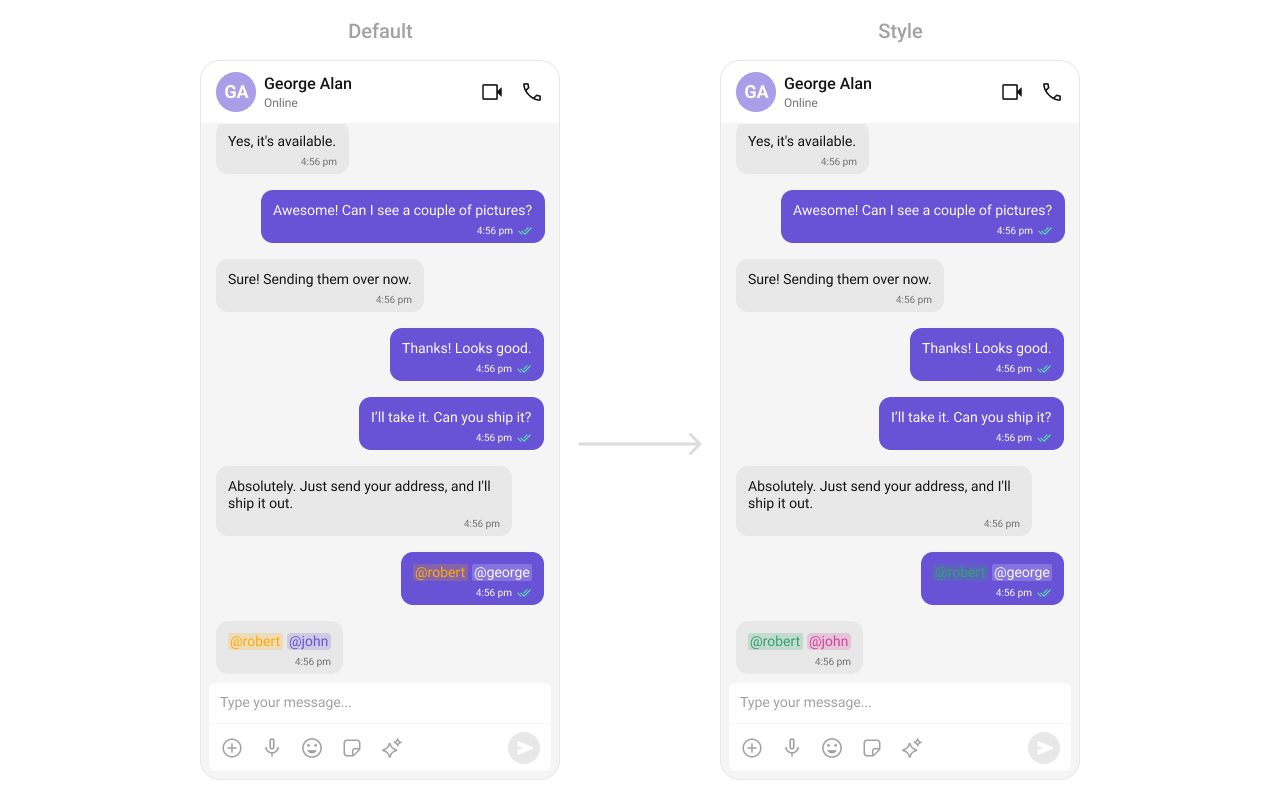
themes.xml
- Kotlin
- Java
Conversations Mention Style
Customize mentions in the conversations list last-message preview: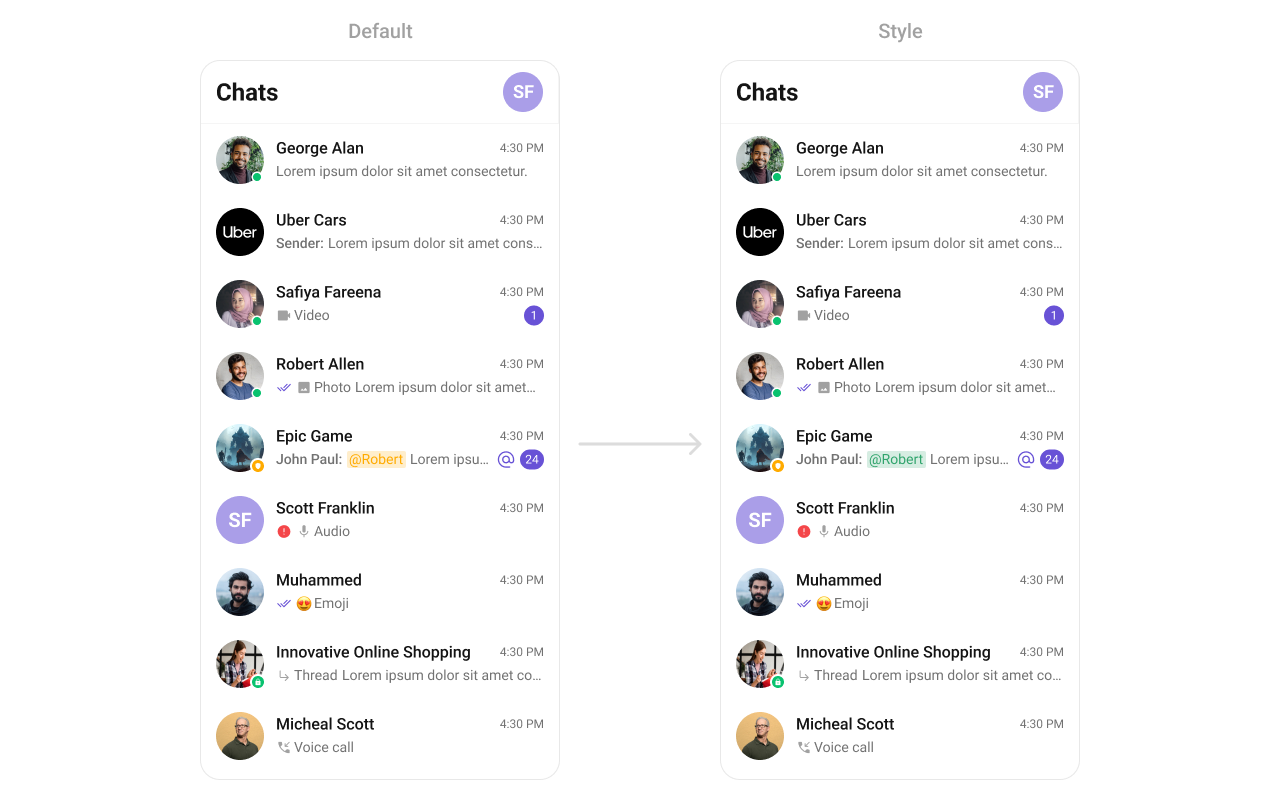
themes.xml
- Kotlin
- Java
Customization Matrix
| What you want to change | Where | Property/API | Example |
|---|---|---|---|
| Maximum number of mentions allowed | CometChatMentionsFormatter | setMentionLimit(int limit) | mentionFormatter.setMentionLimit(5) |
| Group members fetched for mention suggestions | CometChatMentionsFormatter | .setGroupMembersRequestBuilder(...) | .setGroupMembersRequestBuilder(group -> new GroupMembersRequest.GroupMembersRequestBuilder(group.getGuid())); |
| Users fetched for mention suggestions | CometChatMentionsFormatter | .setUsersRequestBuilder(...) | .setUsersRequestBuilder(new UsersRequest.UsersRequestBuilder().friendsOnly(true)); |
| Who can be mentioned | CometChatMentionsFormatter | .setMentionsType(...) | .setMentionsType(UIKitConstants.MentionsType.USERS_AND_GROUP_MEMBERS) |
| Where mentions are visible | CometChatMentionsFormatter | .setMentionsVisibility(...) | .setMentionsVisibility(UIKitConstants.MentionsVisibility.BOTH); |
| Click action on a mention | CometChatMentionsFormatter | setOnMentionClick | mentionFormatter.setOnMentionClick((context, user) -> { }); |
| Mention text style in composer | CometChatMentionsFormatter | setMessageComposerMentionTextStyle(context, styleRes) | mentionFormatter.setMessageComposerMentionTextStyle(context, R.style.CustomStyle) |
| Mention text style in outgoing bubbles | CometChatMentionsFormatter | setOutgoingBubbleMentionTextStyle(context, styleRes) | mentionFormatter.setOutgoingBubbleMentionTextStyle(context, R.style.CustomStyle) |
| Mention text style in incoming bubbles | CometChatMentionsFormatter | setIncomingBubbleMentionTextStyle(context, styleRes) | mentionFormatter.setIncomingBubbleMentionTextStyle(context, R.style.CustomStyle) |
| Mention text style in conversations list | CometChatMentionsFormatter | setConversationsMentionTextStyle(context, styleRes) | mentionFormatter.setConversationsMentionTextStyle(context, R.style.CustomStyle) |
Next Steps
Message Composer
Configure the composer where users type and send messages with mentions
Message List
Configure the message list where mention-styled bubbles are displayed
Conversations
Configure the conversations list where mention-styled previews appear
ShortCut Formatter
Add shortcut text expansion to the message composer