

AI Agent Component Spec
AI Agent Component Spec
| Field | Value |
|---|---|
| Package | @cometchat/chat-uikit-react |
| Framework | Next.js |
| Components | CometChatConversations, CometChatCallLogs, CometChatUsers, CometChatGroups, CometChatMessageHeader, CometChatMessageList, CometChatMessageComposer |
| Layout | Tabbed sidebar (Chats, Calls, Users, Groups) + message view |
| Prerequisite | Complete Next.js Integration Steps 1–5 first |
| SSR | Dynamic import with ssr: false — CometChat requires browser APIs |
| Pattern | Full-featured messaging app with multiple sections |
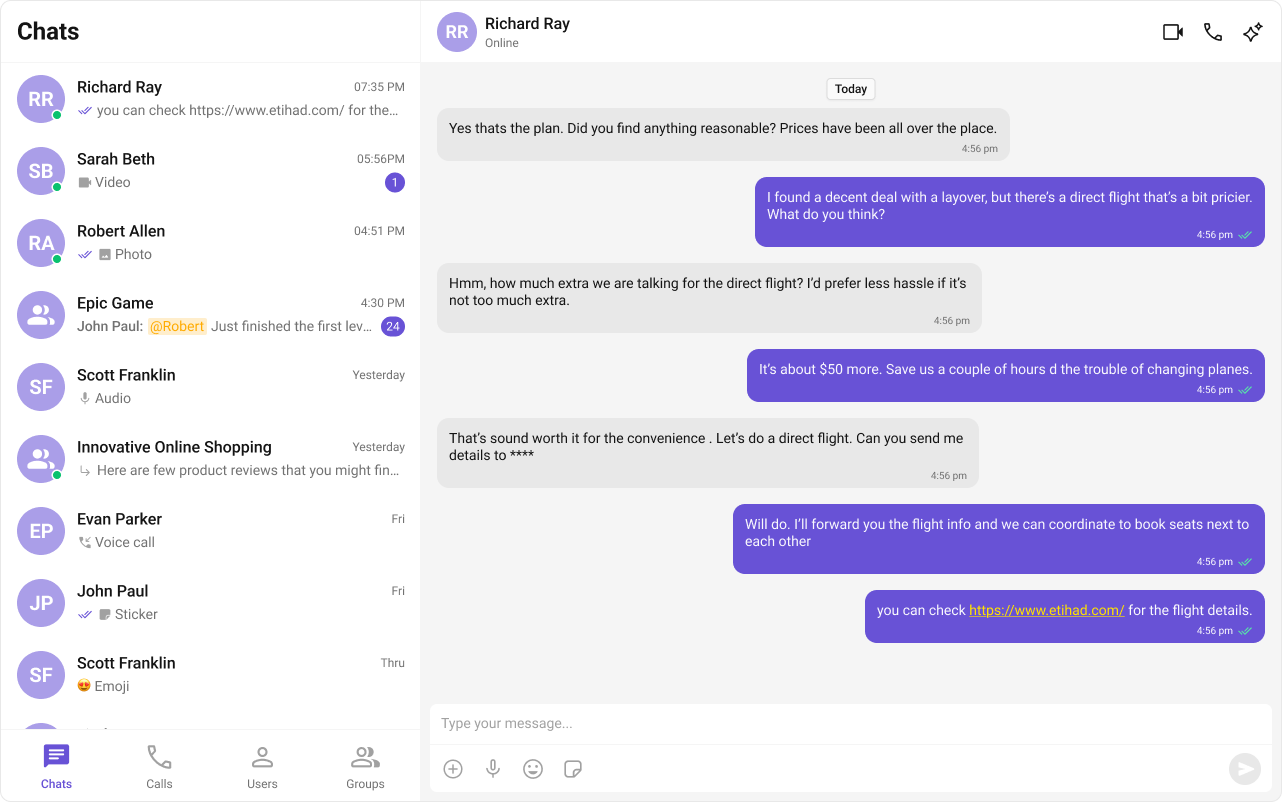

Fork the sandbox, insert your CometChat credentials (App ID, Region, Auth Key), and preview the UI in real time.
What You’re Building
Three sections working together:- Tab bar — switches between Chats, Calls, Users, and Groups
- Sidebar — renders the list for the active tab
- Message view — header + messages + composer for the selected item
Step 1 — Create the Tab Component
src
app
CometChatTabs
CometChatTabs.tsx
CometChatTabs.css
public/assets/. Download them from the CometChat UI Kit assets folder on GitHub.
public
assets
chats.svg
calls.svg
users.svg
groups.svg
- TypeScript
- CSS
CometChatTabs.tsx
Step 2 — Create the Sidebar Component
The sidebar renders the list for whichever tab is active, plus the tab bar at the bottom.src
app
CometChatSelector
CometChatSelector.tsx
CometChatSelector.css
- TypeScript
- CSS
CometChatSelector.tsx
Step 3 — Create the CometChatNoSSR Component
This component handles init, login, and renders the full tabbed chat experience. It runs client-side only.src
app
CometChatNoSSR
CometChatNoSSR.tsx
CometChatNoSSR.css
- TypeScript
- CSS
CometChatNoSSR.tsx
- Selections from any tab (Chats, Calls, Users, Groups) flow through the same
onSelectorItemClickedcallback. - Conversation items are unwrapped via
getConversationWith()to extract the underlyingUserorGroup. - Only one of
selectedUser/selectedGroupis set at a time — the other is cleared.
Step 4 — Disable SSR in Your Page
Dynamically importCometChatNoSSR with ssr: false so it only loads client-side.
index.tsx
Step 5 — Run the Project
- npm
- pnpm
- yarn