

AI Agent Component Spec
AI Agent Component Spec
| Field | Value |
|---|---|
| Package | @cometchat/chat-uikit-react |
| Framework | Astro (with @astrojs/react islands) |
| Components | CometChatConversations, CometChatMessageHeader, CometChatMessageList, CometChatMessageComposer |
| Layout | Two-panel — conversation list (left) + message view (right) |
| Prerequisite | Complete Astro Integration Steps 1–5 first |
| SSR | client:only="react" directive — CometChat requires browser APIs |
| Pattern | WhatsApp Web, Slack, Microsoft Teams |
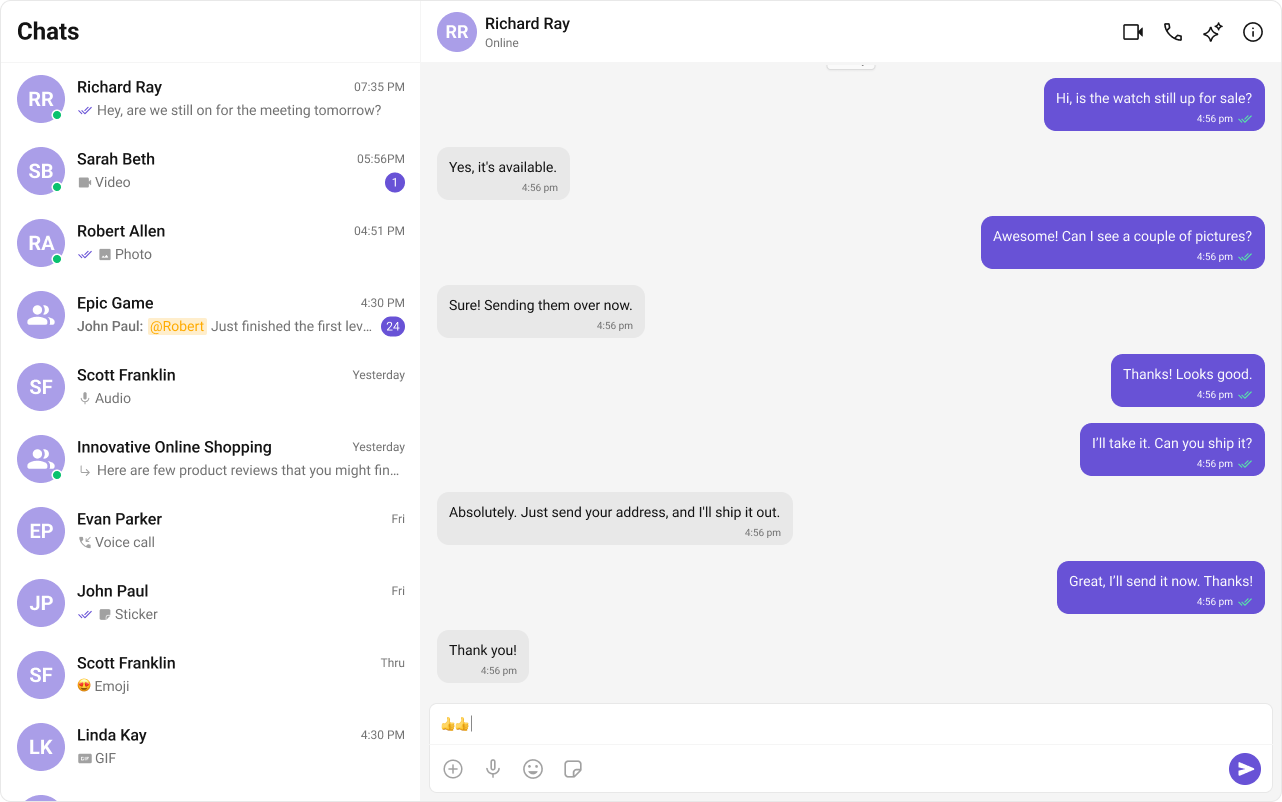
What You’re Building
Three sections working together:- Sidebar (conversation list) — shows all active conversations (users and groups)
- Message view — displays chat messages for the selected conversation in real time
- Message composer — text input with support for media, emojis, and reactions
Step 1 — Create the React Island
Create aChatApp component inside src/components/. This is a React island that handles init, login, and renders the full chat experience.
src
components
ChatApp.tsx
ChatApp.css
- TypeScript
- CSS
ChatApp.tsx
- Init and login happen inside
useEffect— the component only renders chat UI after login resolves. - When a conversation is tapped, the
UserorGroupis extracted from theConversationobject. selectedUser/selectedGroupstate drives which chat is displayed — pass eitheruserorgroupto the message components, never both.
Step 2 — Render the Astro Page
Import the island and hydrate it client-side usingclient:only="react".
src/pages/index.astro
client:only="react" directive ensures the component skips SSR entirely and only renders in the browser — required because CometChat needs window and WebSocket.
Step 3 — Run the Project
- npm
- pnpm
- yarn