FieldValue
Package@cometchat/chat-uikit-react
Key classShortcutFormatter (extends CometChatTextFormatter)
Required setupCometChatUIKit.init(UIKitSettings) then CometChatUIKit.login("UID")
Track character! — triggers shortcut expansion in the message composer
Sample appGitHub
RelatedCustom Text Formatter | All Guides
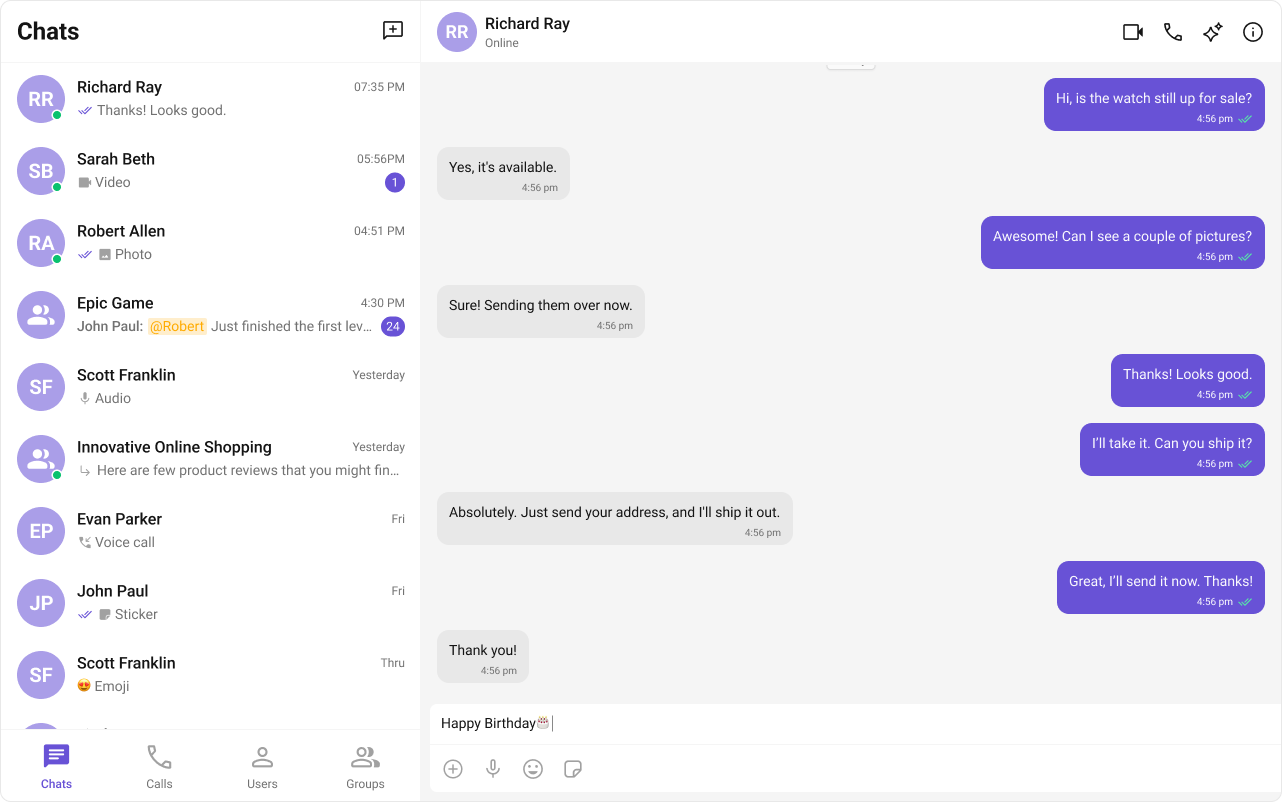
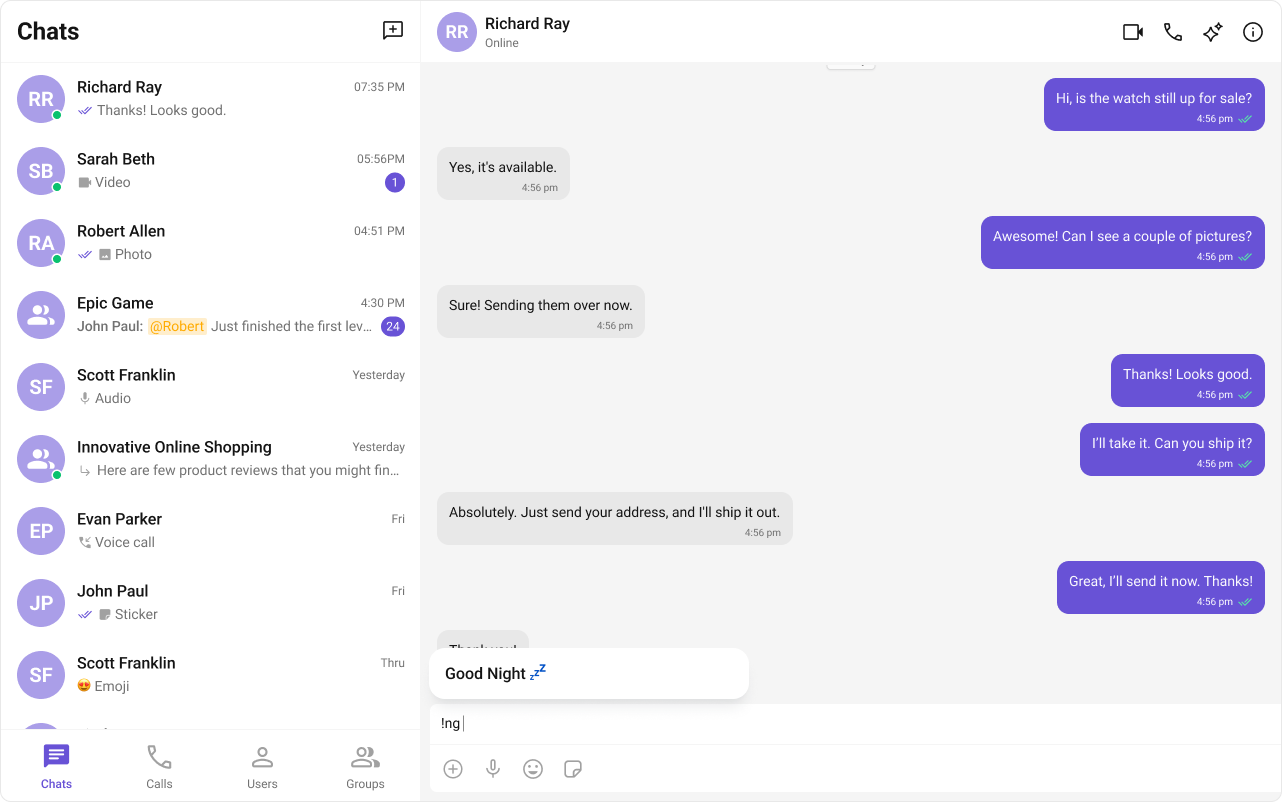
ShortCutFormatter extends CometChatTextFormatter to expand shortcodes (like !hb) into full text via the Message Shortcuts extension. When a user types a shortcut, a dialog appears with the expansion — clicking it inserts the text.
Steps

1. Import the base class

import { CometChatTextFormatter } from "@cometchat/chat-uikit-react";

2. Extend it

class ShortCutFormatter extends CometChatTextFormatter {
  ...
}

3. Set the track character

this.setTrackingCharacter("!");

4. Handle key events

Detect shortcuts on keyDown and trigger expansion logic.
onKeyDown(event: KeyboardEvent) {
  // Your implementation
}

5. Add dialog and formatting methods

openDialog(buttonText: string) { ... }
closeDialog() { ... }
handleButtonClick = () => { ... };
getFormattedText(text: string): string { return text; }
private getTextBeforeCaret(caretPosition: number): string { ... }

Example

Fetches shortcuts from the Message Shortcuts extension on init. On keyUp, checks if the text before the caret matches a shortcut and opens a dialog with the expansion.
import { CometChatTextFormatter } from "@cometchat/chat-uikit-react";
import DialogHelper from "./Dialog";
import { CometChat } from "@cometchat/chat-sdk-javascript";

class ShortcutFormatter extends CometChatTextFormatter {
  private shortcuts: { [key: string]: string } = {};
  private dialogIsOpen: boolean = false;
  private dialogHelper = new DialogHelper();
  private currentShortcut: string | null = null;

  constructor() {
    super();
    this.setTrackingCharacter("!");
    CometChat.callExtension("message-shortcuts", "GET", "v1/fetch", undefined)
      .then((data: any) => {
        if (data && data.shortcuts) {
          this.shortcuts = data.shortcuts;
        }
      })
      .catch((error) => console.log("error fetching shortcuts", error));
  }

  onKeyUp(event: KeyboardEvent) {
    const caretPosition =
      this.currentCaretPosition instanceof Selection
        ? this.currentCaretPosition.anchorOffset
        : 0;
    const textBeforeCaret = this.getTextBeforeCaret(caretPosition);

    const match = textBeforeCaret.match(/!([a-zA-Z]+)$/);
    if (match) {
      const shortcut = match[0];
      const replacement = this.shortcuts[shortcut];
      if (replacement) {
        if (this.dialogIsOpen && this.currentShortcut !== shortcut) {
          this.closeDialog();
        }
        this.openDialog(replacement, shortcut);
      }
    } else if (!textBeforeCaret) {
      this.closeDialog();
    }
  }

  getCaretPosition() {
    if (!this.currentCaretPosition?.rangeCount) return { x: 0, y: 0 };
    const range = this.currentCaretPosition?.getRangeAt(0);
    const rect = range.getBoundingClientRect();
    return { x: rect.left, y: rect.top };
  }

  openDialog(buttonText: string, shortcut: string) {
    this.dialogHelper.createDialog(
      () => this.handleButtonClick(buttonText),
      buttonText
    );
    this.dialogIsOpen = true;
    this.currentShortcut = shortcut;
  }

  closeDialog() {
    this.dialogHelper.closeDialog();
    this.dialogIsOpen = false;
    this.currentShortcut = null;
  }

  handleButtonClick = (buttonText: string) => {
    if (this.currentCaretPosition && this.currentRange) {
      const shortcut = Object.keys(this.shortcuts).find(
        (key) => this.shortcuts[key] === buttonText
      );
      if (shortcut) {
        const replacement = this.shortcuts[shortcut];
        this.addAtCaretPosition(
          replacement,
          this.currentCaretPosition,
          this.currentRange
        );
      }
    }
    if (this.dialogIsOpen) {
      this.closeDialog();
    }
  };

  getFormattedText(text: string): string {
    return text;
  }

  private getTextBeforeCaret(caretPosition: number): string {
    if (
      this.currentRange &&
      this.currentRange.startContainer &&
      typeof this.currentRange.startContainer.textContent === "string"
    ) {
      const textContent = this.currentRange.startContainer.textContent;
      if (textContent.length >= caretPosition) {
        return textContent.substring(0, caretPosition);
      }
    }
    return "";
  }
}

export default ShortcutFormatter;

Next Steps